Add a stamp in one scan
Scan the customer’s personal QR, check their progress and add the stamp from the same screen.
Digital stamp cards
Customers join once, show their personal QR on later visits and always know how close they are to a reward. Your team adds each stamp with the phone they already use.
Why change
A digital stamp card keeps progress on the customer’s phone and connects every scan to one customer record, without turning the counter into a complicated new process.
The stamp still feels familiar. The difference is that both the customer and the business can see what happened next.
Scan the customer’s personal QR, check their progress and add the stamp from the same screen.
Customers can see their stamps, next reward and how many visits remain whenever they open their card.
Visits, stamps, redemptions and corrections stay connected to the same customer profile.
How it works
One joining step for the customer, then one repeatable counter flow for your team.
They scan your join QR and receive a branded loyalty card on their phone.
On the next visit, the customer opens the card and shows the QR at the counter.
A quick scan opens the right card, updates progress and keeps the visit history current.
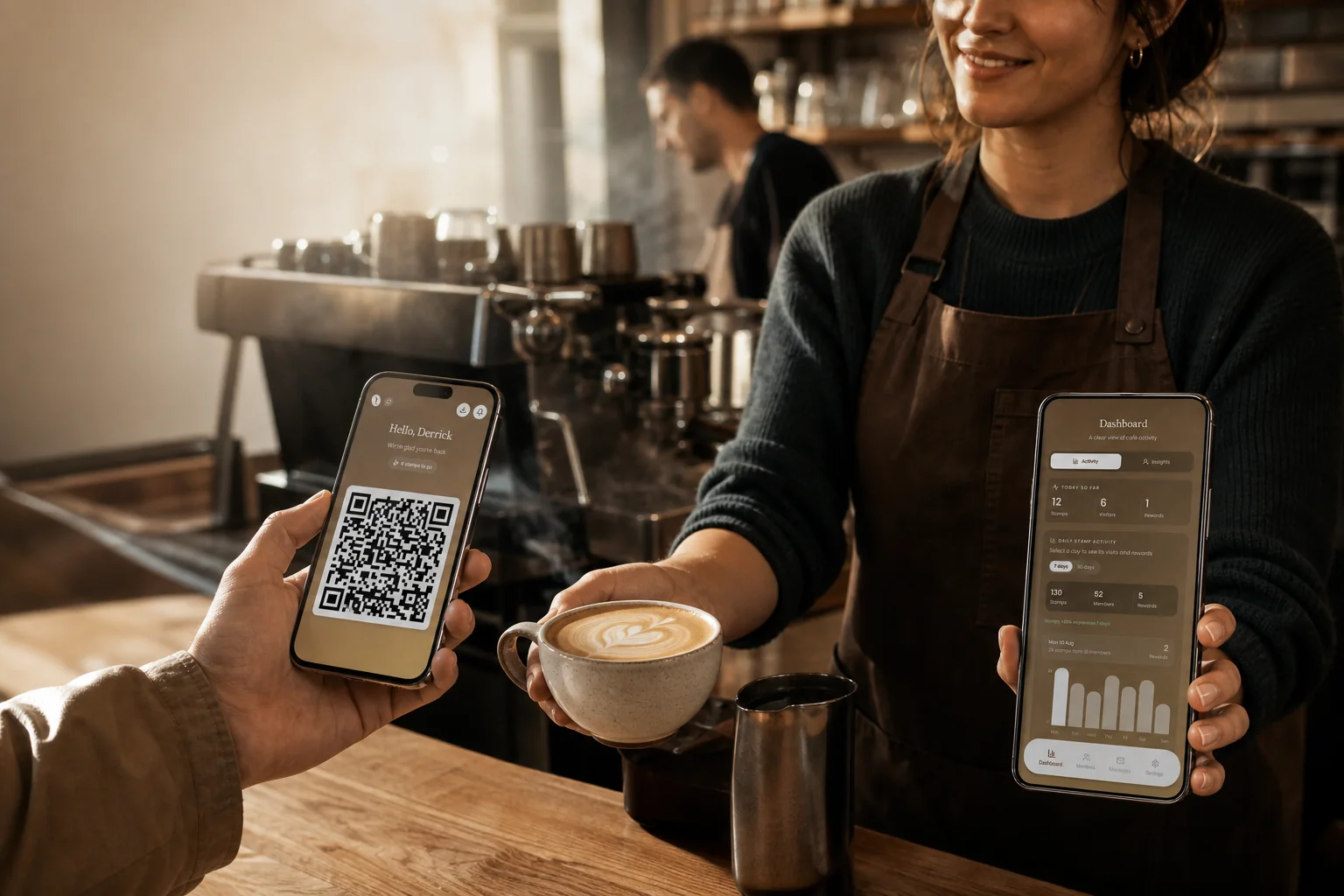
See it at a real counter
The customer opens their branded QR card. A team member scans it, confirms the right profile and adds the stamp. The coffee handover remains the main event.
Customers scan the café QR and keep their own card link.
An approved team phone opens the correct customer card.
Progress and redemption stay visible before staff act.
Control at the counter
The customer shows a personal QR. An authorised team member scans it, checks the right customer card and adds the stamp. If someone taps the wrong action, the visit history makes the mistake visible and an authorised team member can correct it.
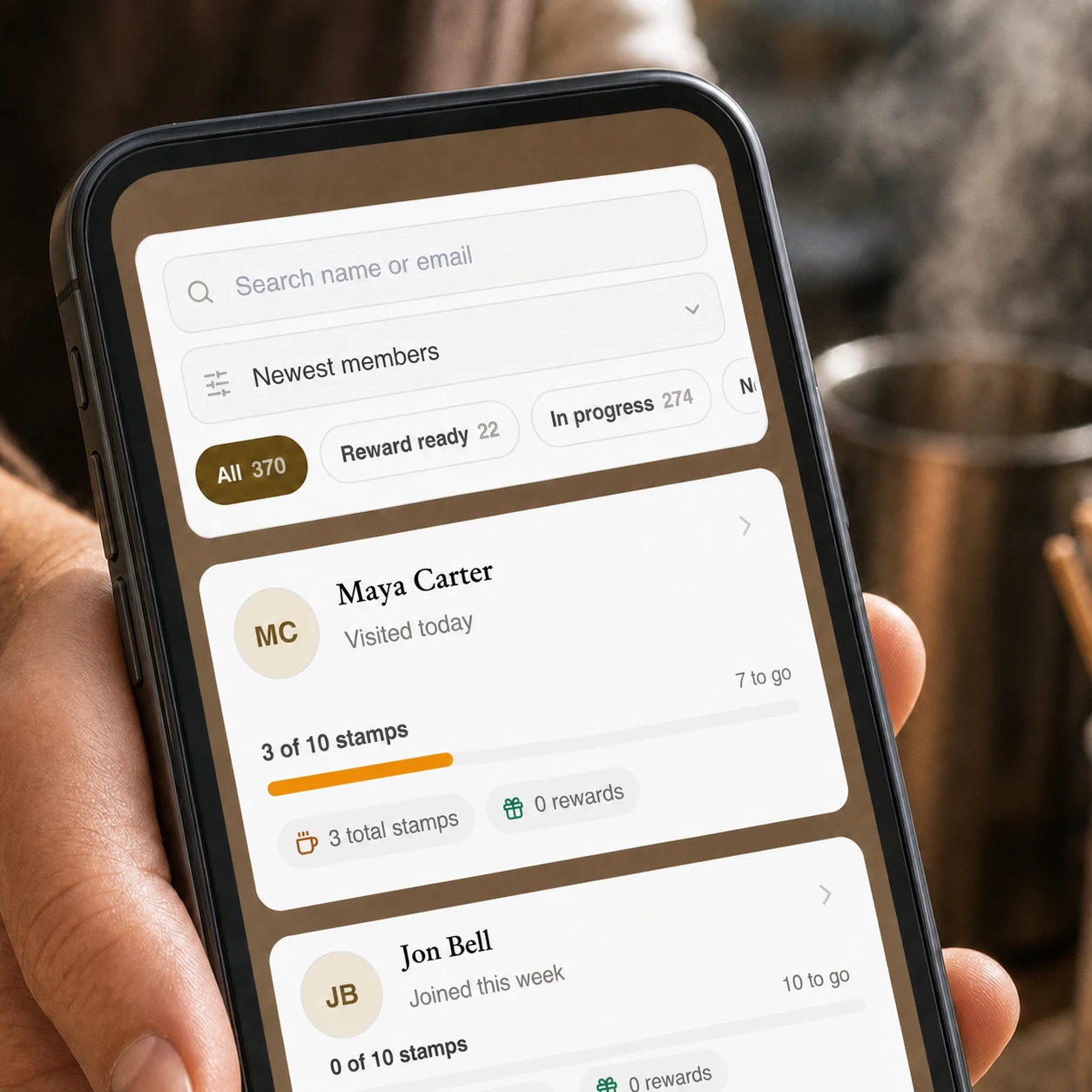
Reward design
Most independent cafés do not need a complicated points economy. A clear stamp target and a reward customers already understand is easier for staff to mention, easier for customers to remember and easier for the owner to measure.
Built for a real shift, not a software demo.
The join, scan and reward flow stays short enough for the counter. The deeper customer picture is there when service slows down.
Paper vs digital
Digital does not need to make loyalty feel complicated. It keeps the same visible progress while giving the café a reliable record and a way to understand what happens after the first visit.
Paper stamp cardWallet, pocket or a stack behind the counter.
Loytap digital stamp cardOn the customer’s phone, opened from their own link.
Paper stamp cardPhysical stamp or punch with no customer record.
Loytap digital stamp cardStaff scan the personal QR and confirm the visit.
Paper stamp cardUsually lost with the card.
Loytap digital stamp cardProgress remains connected to the customer profile.
Paper stamp cardNo view of return patterns or reward progress.
Loytap digital stamp cardVisits, stamps and rewards feed the café dashboard.
Paper stamp cardNo direct, consent-aware channel.
Loytap digital stamp cardRelevant messages can use current loyalty context.
Café AERA
360 members
AERA replaced paper cards with a branded QR experience that customers could keep on their phone and staff could use during service.
Read the AERA storyQuestions
No. Customers join through a QR code and keep their branded loyalty card on their phone.
No. A team member can scan the customer’s personal QR using a supported phone.
Yes. Authorised team members can review the customer profile and correct a stamp when needed.
The customer opens their personal QR and a team member scans it from a supported phone. The team member checks the customer and confirms the stamp.
The customer card shows that the reward is ready. The team can confirm the redemption so the reward and updated progress stay in the visit history.
Yes. Loytap can use the café name, logo, colours and chosen reward on the customer-facing loyalty experience.
Practical guides
Compare setup, lost cards, misuse, customer data and counter workflow.
Open the guideDownload a print-ready café card and calculate a sensible reward.
Open the guideUse practical reward ideas without building an enterprise points scheme.
Open the guideKeep exploring
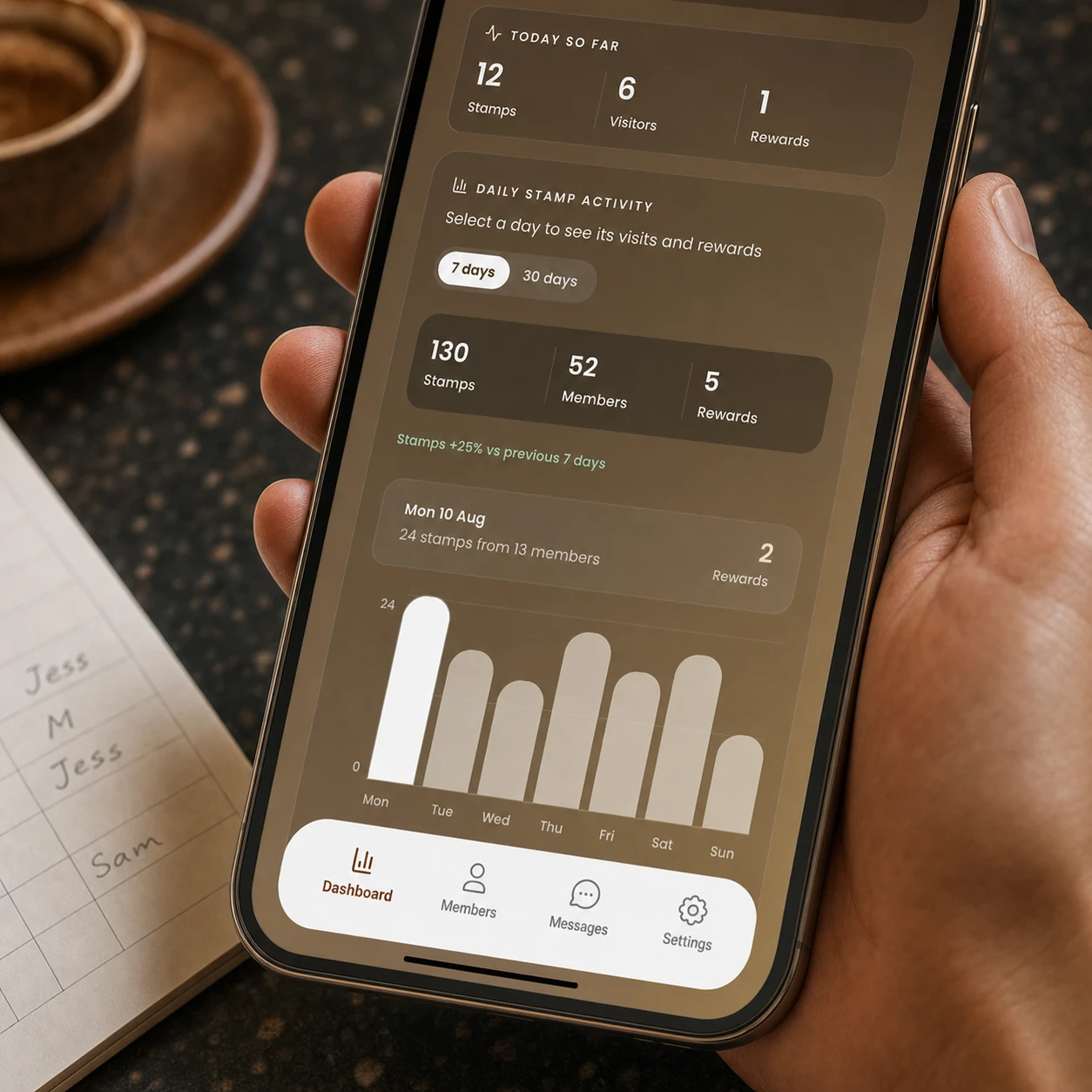
See stamps, members and rewards together. Compare 7 or 30 days, find your busiest periods and understand whether repeat customer activity is moving in the right direction.
See the workflow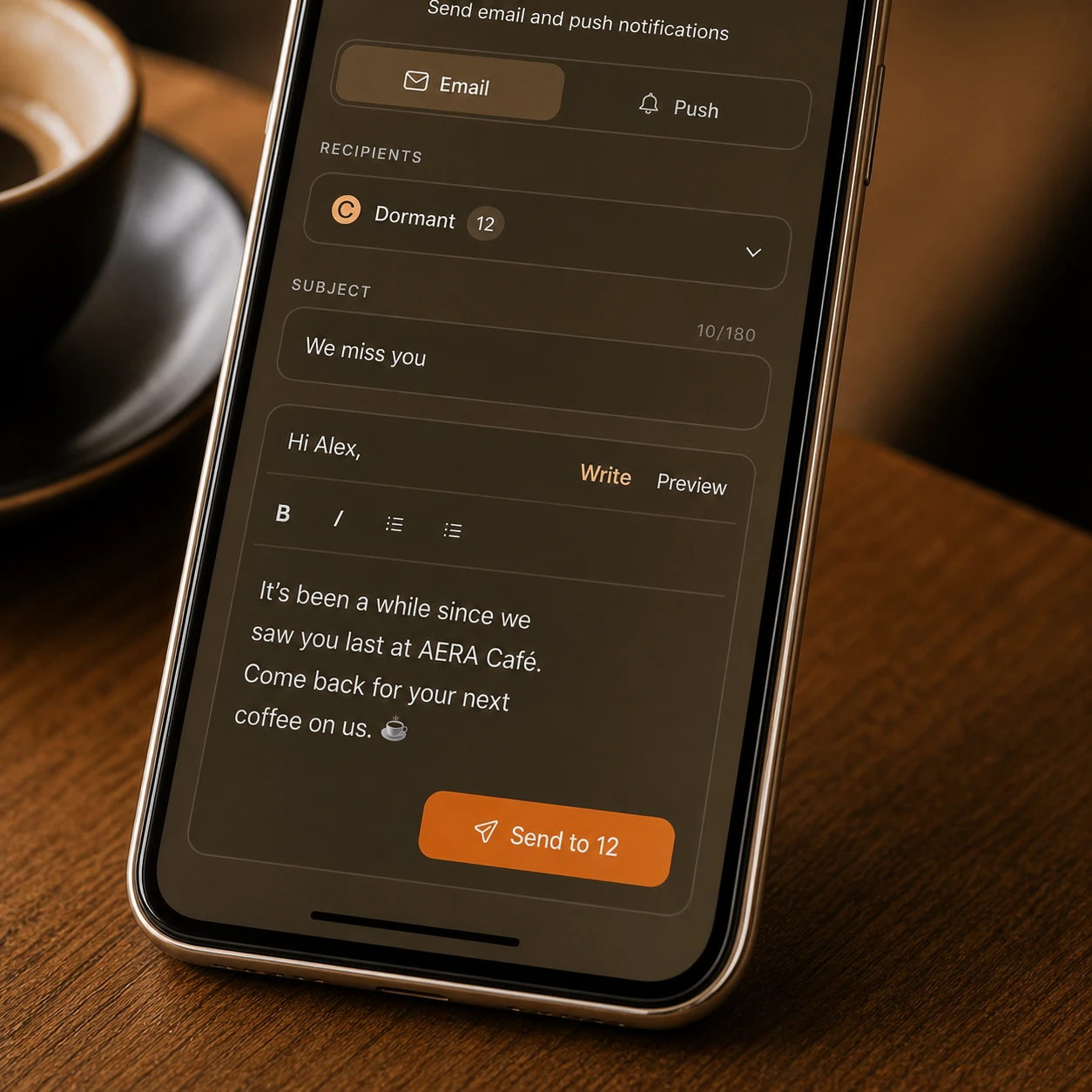
Choose one customer or a live group, understand why they are worth contacting and send a relevant email or push notification without building the audience by hand.
See the workflow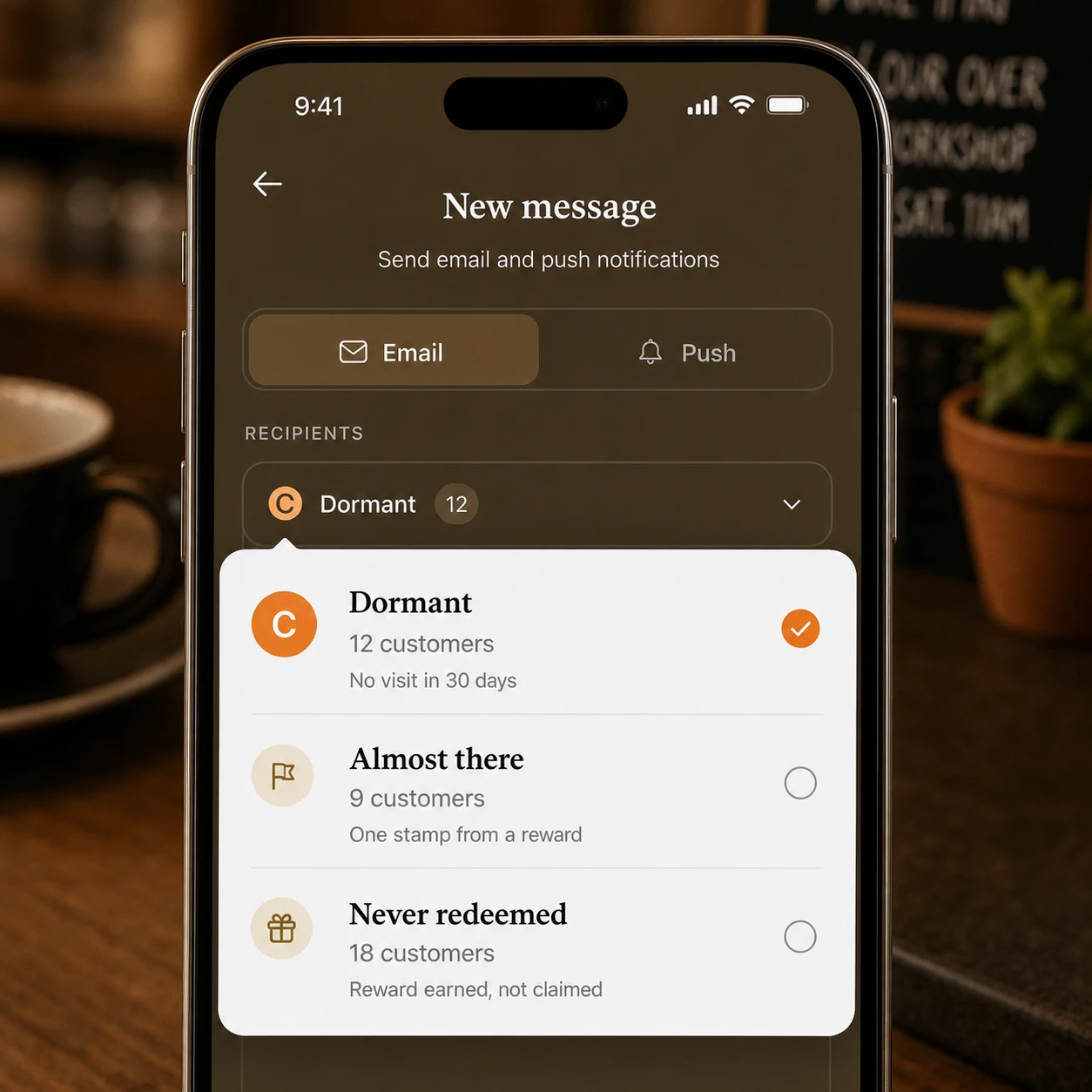
Visible reward progress keeps the next visit concrete. Visit insights show when customers usually return, and timely messages help you reach the people who are close to a reward or beginning to drift.
See the workflowWe will set up the branded card, reward and counter flow so your team can start with a clear, repeatable process.
Set up Loytap