Choose who should hear it
Select one customer or a live group that updates as visit and reward activity changes.
Customer messaging
Choose one customer or a live group, understand why they are worth contacting and send a relevant email or push notification without building the audience by hand.
More relevant outreach
Instead of sending the same offer to everyone, Loytap helps you start with the customer or group: close to a reward, quiet lately, never redeemed or ready for a useful business update.
Loyalty progress and visit history give each message a practical reason and a more relevant audience.
Select one customer or a live group that updates as visit and reward activity changes.
Send a reward reminder, event invitation, menu update, opening-hours change or timely offer.
Write the message, personalise the useful details and preview exactly what customers will receive.
How it works
The audience, reason and content stay visible throughout the flow.
Start with a live audience such as almost there or inactive, or search for one person.
Use their first name, loyalty progress or the reason for the update where appropriate.
Check the recipients and final message before sending by email or push notification.
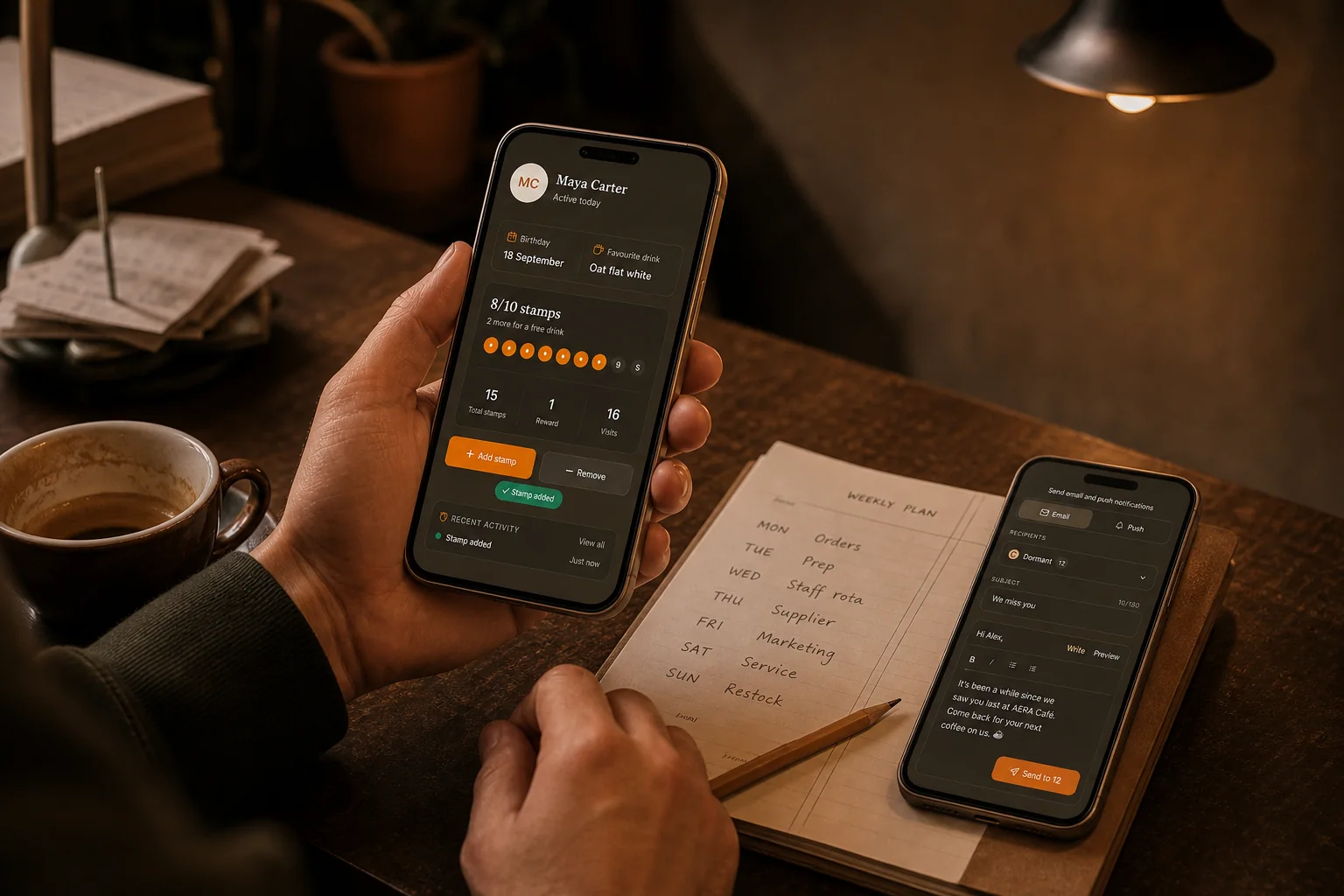
From customer context to useful message
A customer profile and live loyalty group make the reason visible first. Then the café can write, preview and send an appropriate email or push notification with a clear audience in mind.
Review visits, progress and the reason the customer is in the audience.
Use a reward reminder, event, menu update or genuine invitation.
Confirm the recipients and final content while you remain in control.
Audience before announcement
Loytap live groups use current loyalty activity rather than a static list saved months ago. The owner can review the size and purpose of the audience before deciding whether the message is relevant enough to send.
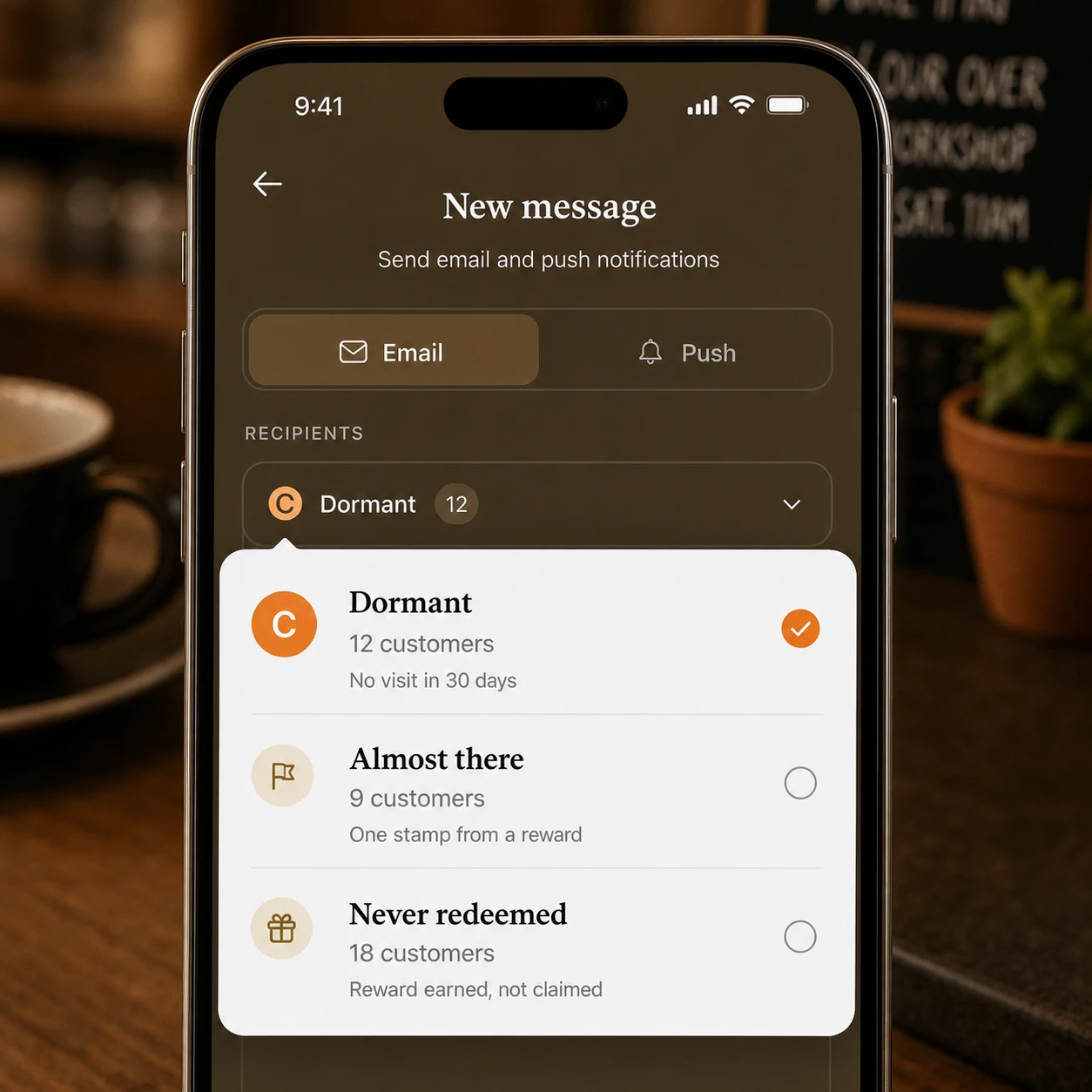
Relevant, then ready
The writing step keeps the selected audience, channel and final content together. That makes it easier to catch a generic message, an unclear offer or the wrong recipient group while the café still has control.
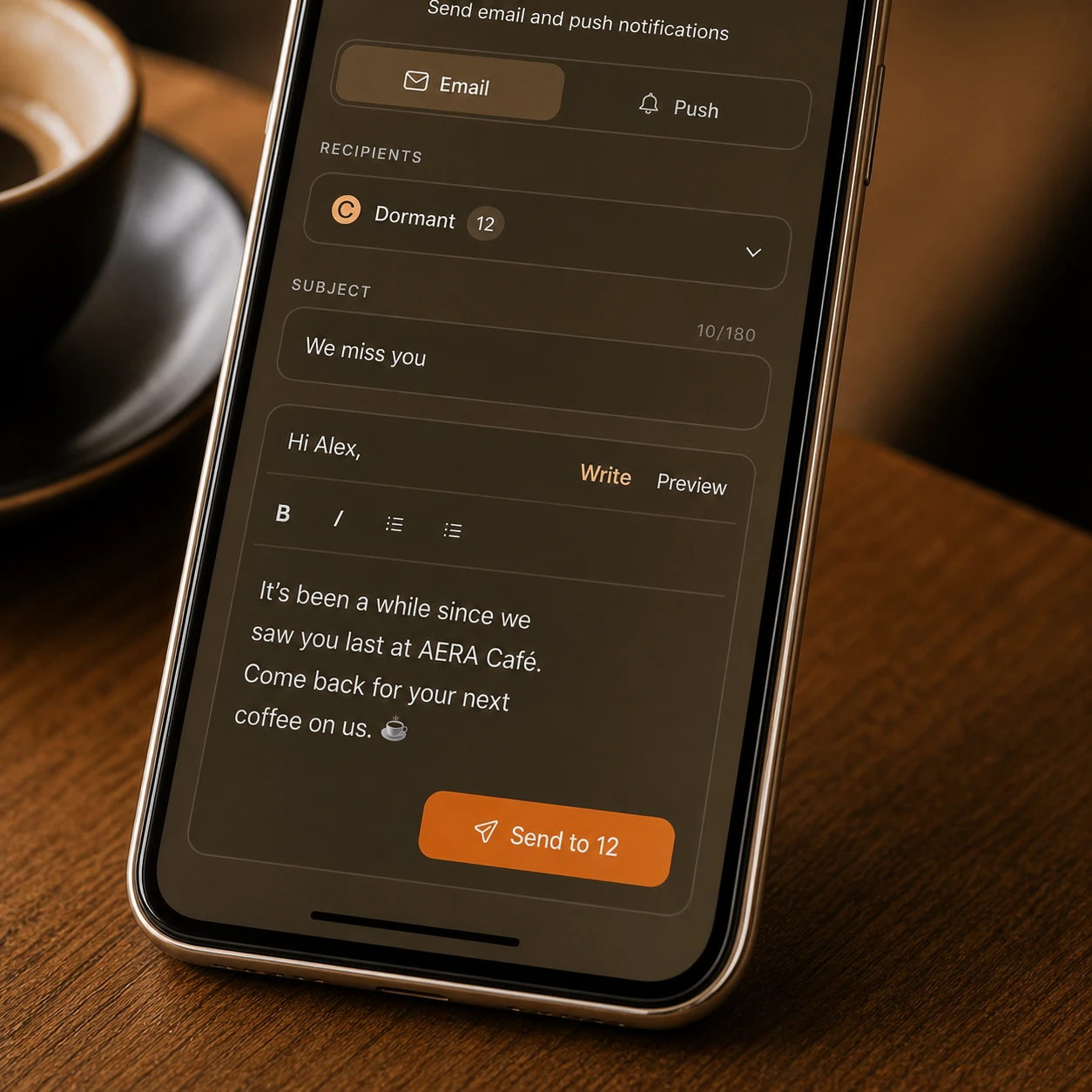
Contextual vs generic
A large mailing list is not automatically a useful customer relationship. Loyalty context lets the café narrow the audience and write for a real moment instead of turning every update into a blanket discount.
Generic café mailoutThe whole saved mailing list.
Loytap loyalty messageOne customer or a current loyalty group.
Generic café mailoutA promotion needs to go out.
Loytap loyalty messageReward progress, recent inactivity, an event or a useful update.
Generic café mailoutThe list may be static or difficult to inspect.
Loytap loyalty messageThe chosen audience and recipient count remain visible before sending.
Generic café mailoutThe same content regardless of relationship.
Loytap loyalty messageContent written for the relevant loyalty moment.
A practical audience
One or many
Search for an individual when the message is personal, or use a live group when the reason applies to several customers at once.
Questions
Yes. You can search for an individual customer when a group message is not appropriate.
Live groups organise customers using current loyalty activity, such as being close to a reward or not visiting recently.
Cafés must respect message preferences and applicable marketing rules. Loytap is designed to support responsible recipient selection and messaging workflows.
Practical guides
Decide where customer messages fit within discovery, experience and repeat visits.
Open the guideCreate reward and event moments that give customers a genuine reason to hear from you.
Open the guideMeasure whether messages and reward progress lead to healthier repeat activity.
Open the guideKeep exploring
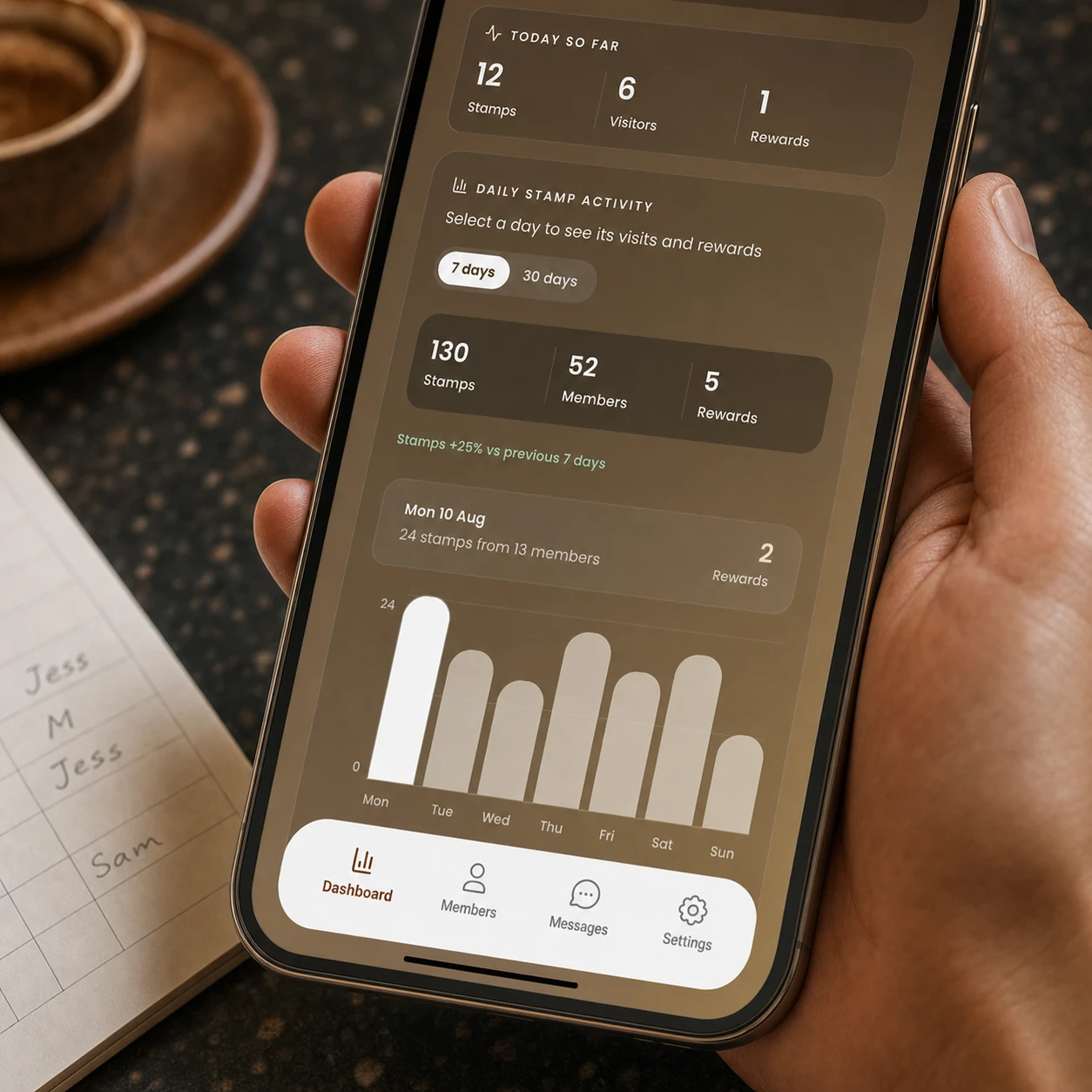
See stamps, members and rewards together. Compare 7 or 30 days, find your busiest periods and understand whether repeat customer activity is moving in the right direction.
See the workflowVisible reward progress keeps the next visit concrete. Visit insights show when customers usually return, and timely messages help you reach the people who are close to a reward or beginning to drift.
See the workflowStart with the customer context, choose a relevant audience and make each message easier to justify.
Set up customer messaging